
It's easy to adjust your asking price on our platform! Whether you feel you deserve higher pay for your work or think your current price is too high and affecting job offers, you can update it anytime.
- Go to the Earnings Manager, and you'll see a range of pricing options for promotion types across the social media platforms you've connected.
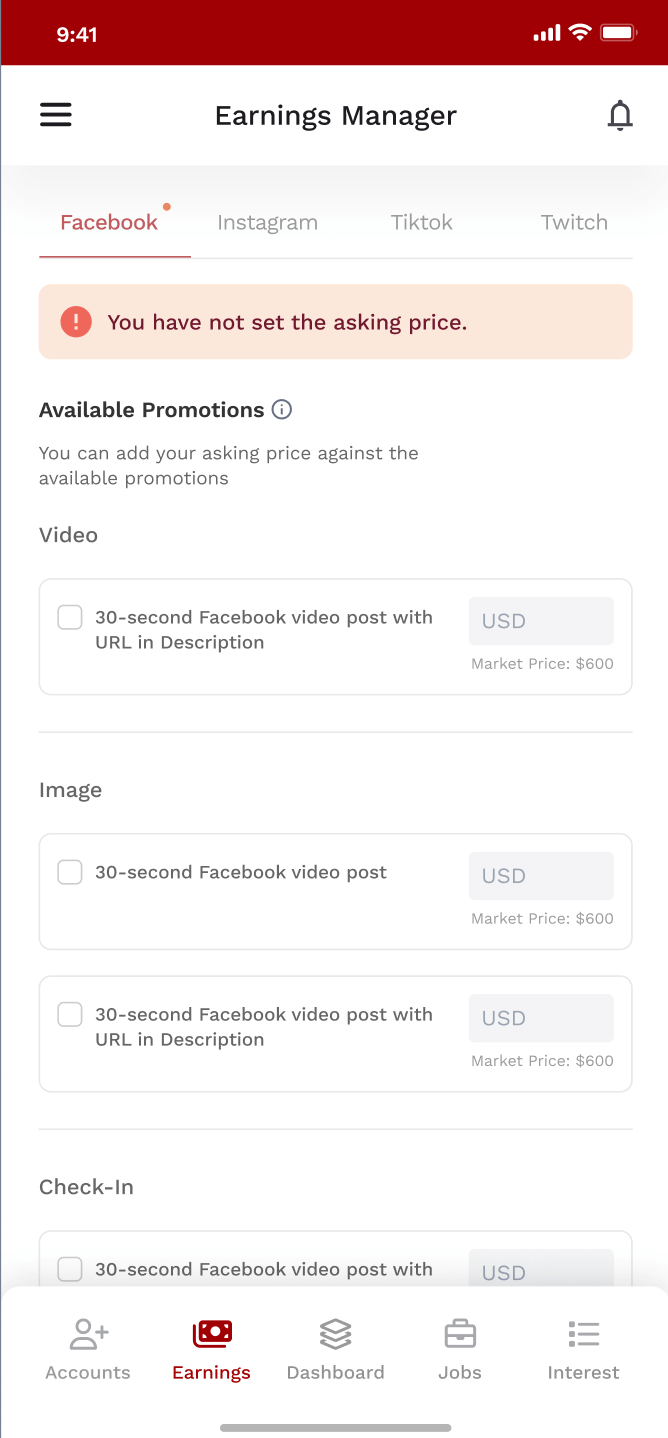 Earnings Manager - Mobile app
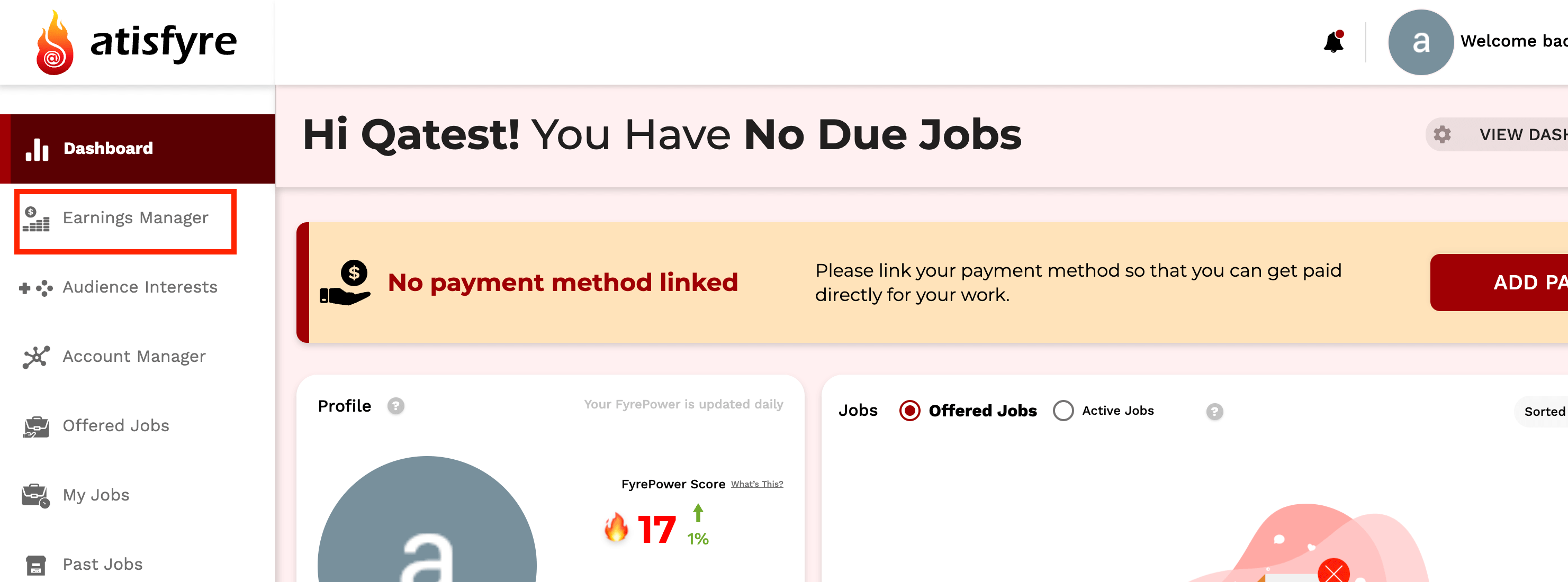 Earnings Manager - Web app
- Go to the platform you'd like to update, and in the Asking price section, either set your own price or use our suggested price based on your stats and FyrePower.
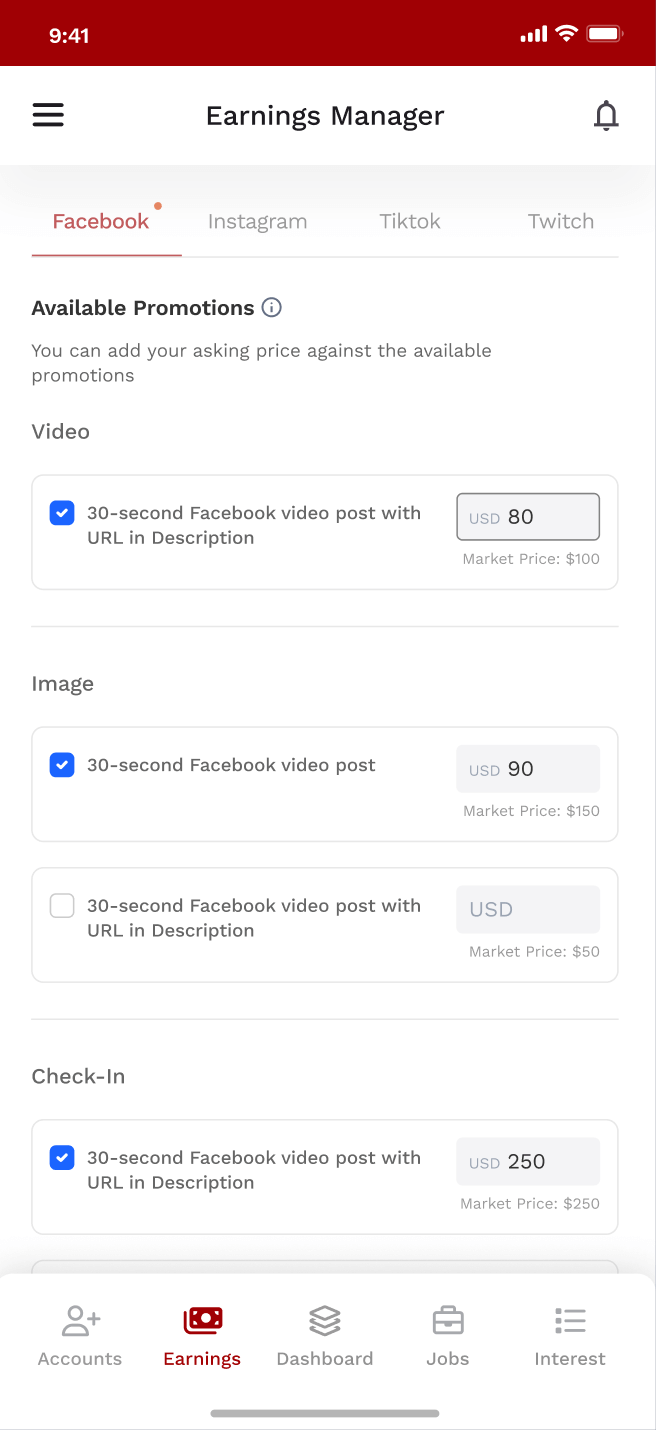 Asking Price - Mobile app
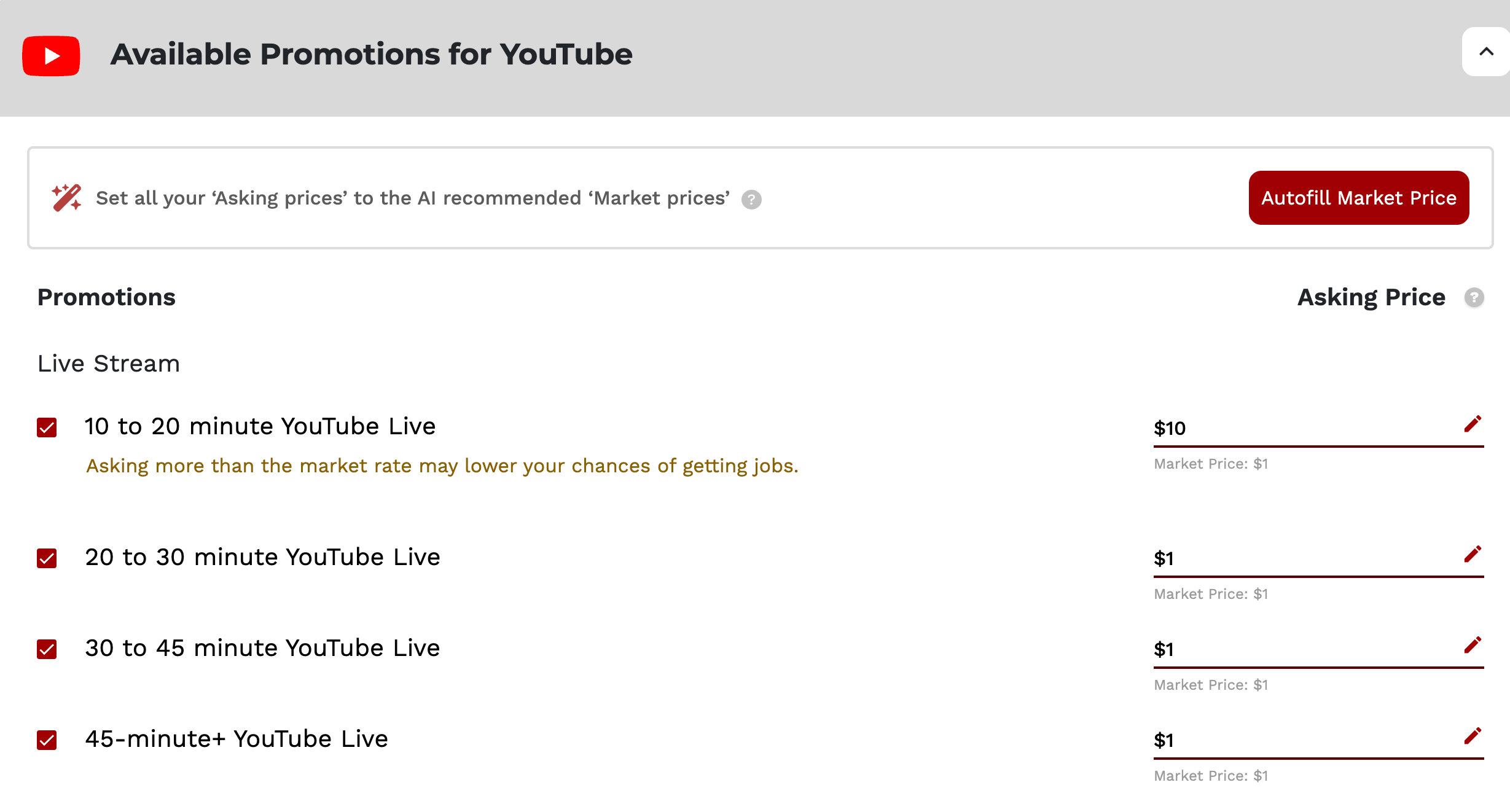 Asking price - Web app
Autofill Asking Price
If you're unsure, tap the "Autofill Asking Price" button, and our smart AI will set the best prices for you based on current market trends.
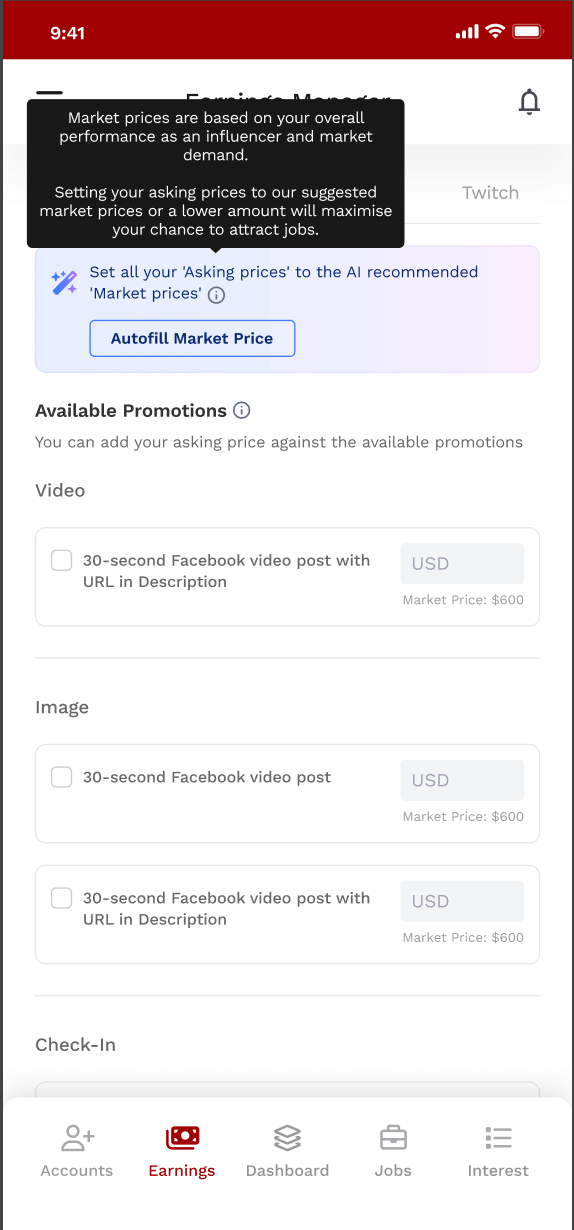
Autofill Asking Price - Mobile app
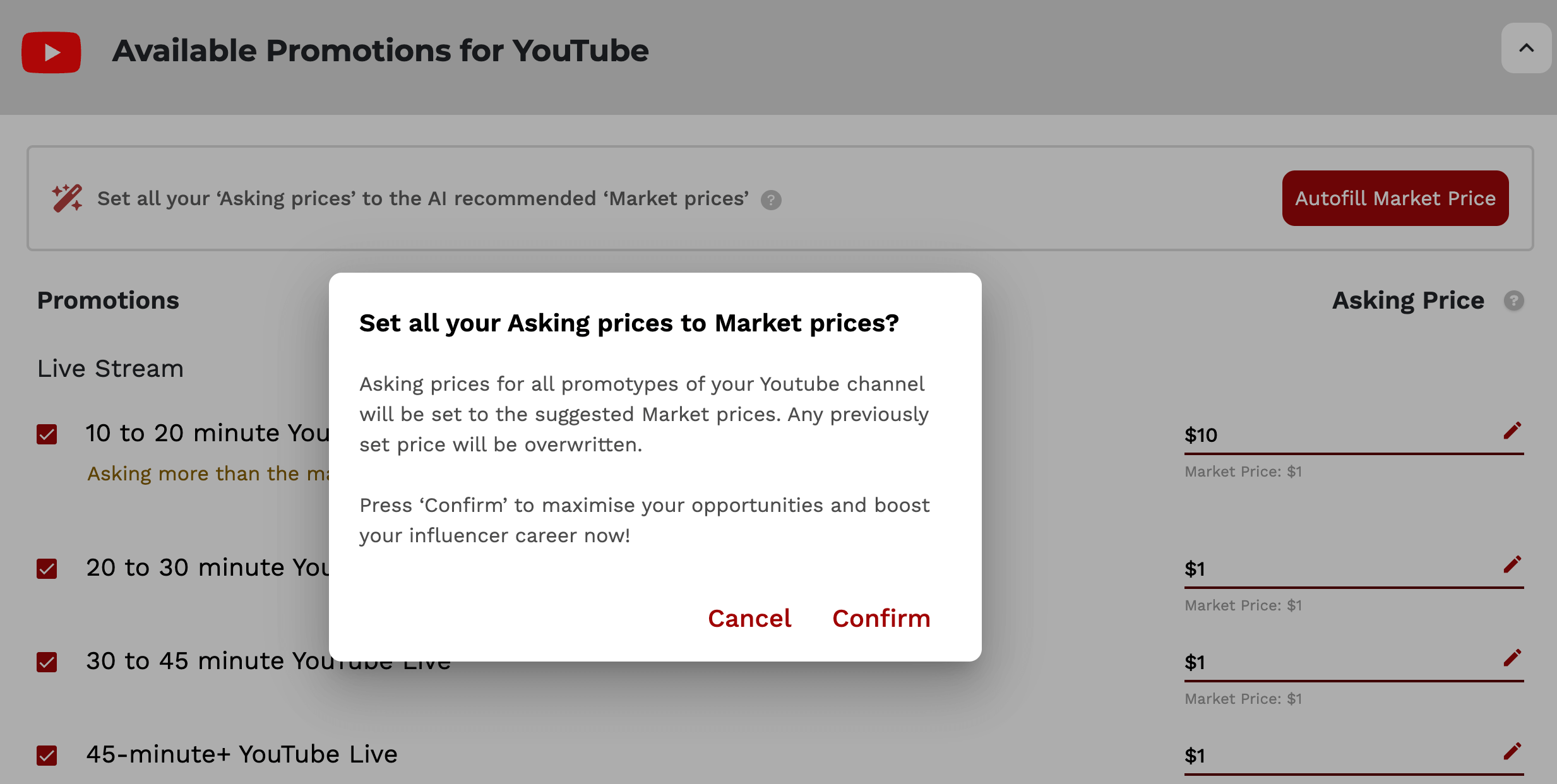
Autofill Asking Price - Web app
That's it! Your new asking price will be updated instantly.