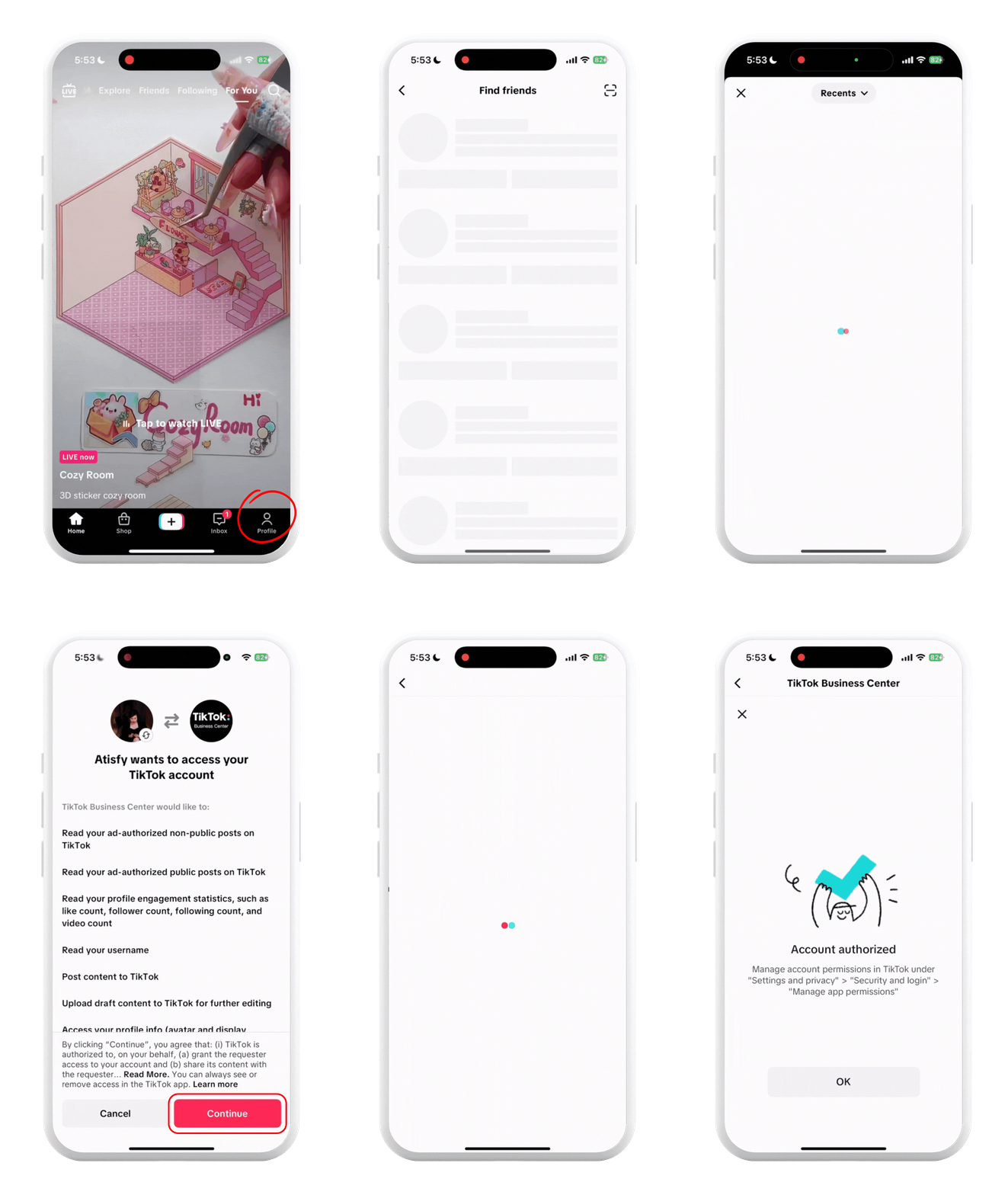
Refer to the step-by-step guide below to review and approve the partnership ad request on Instagram, Facebook, and TikTok.
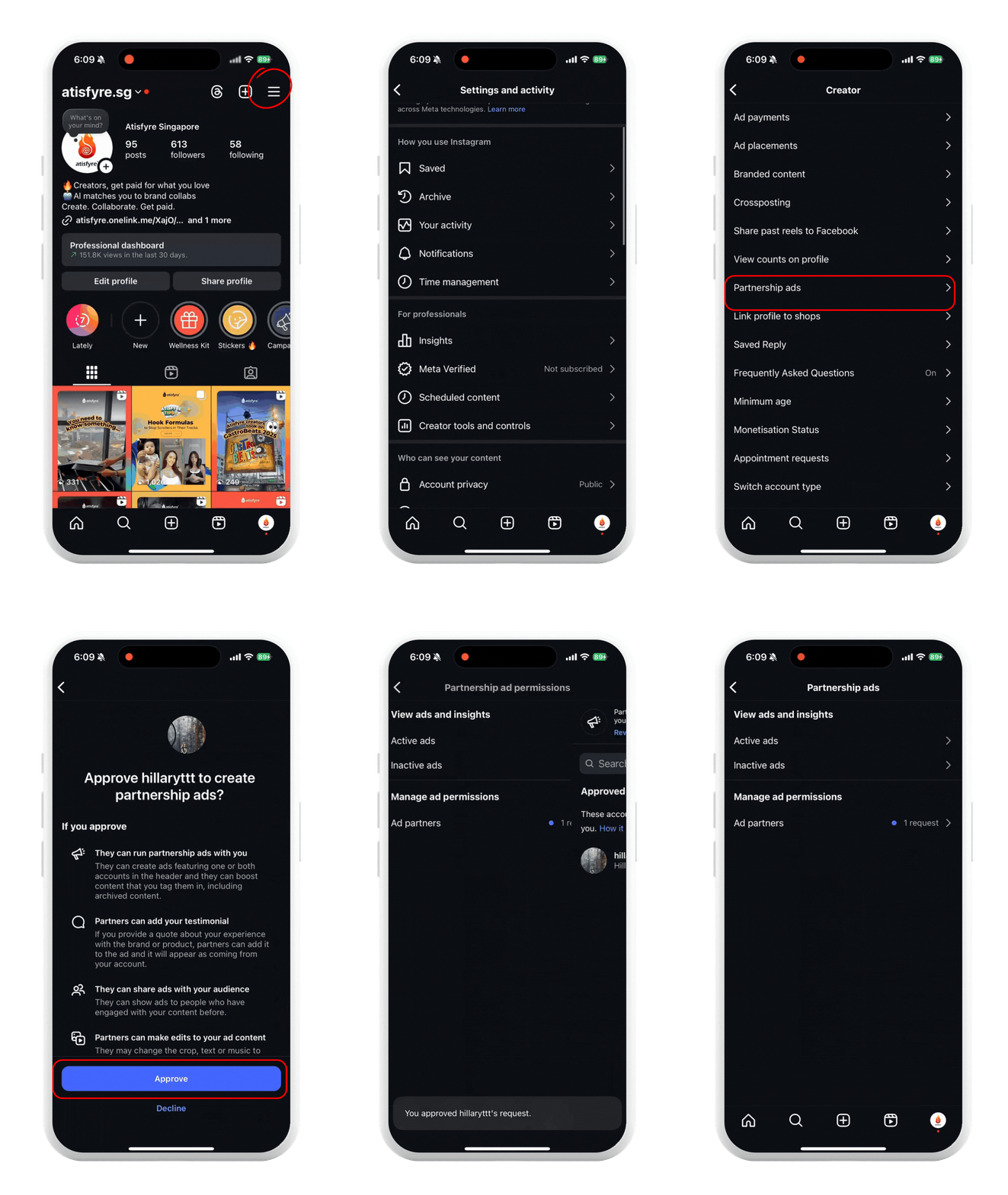
1. Instagram
- In the Instagram app, go to your profile.
- Tap Menu in the top right.
- Tap Creator or Business depending on your professional account type. Note: Some accounts may see creator tools and controls or business tools and controls instead.
- Tap Partnership ads.
- Tap Ad partners.
- Tap Pending requests, then tap Approve
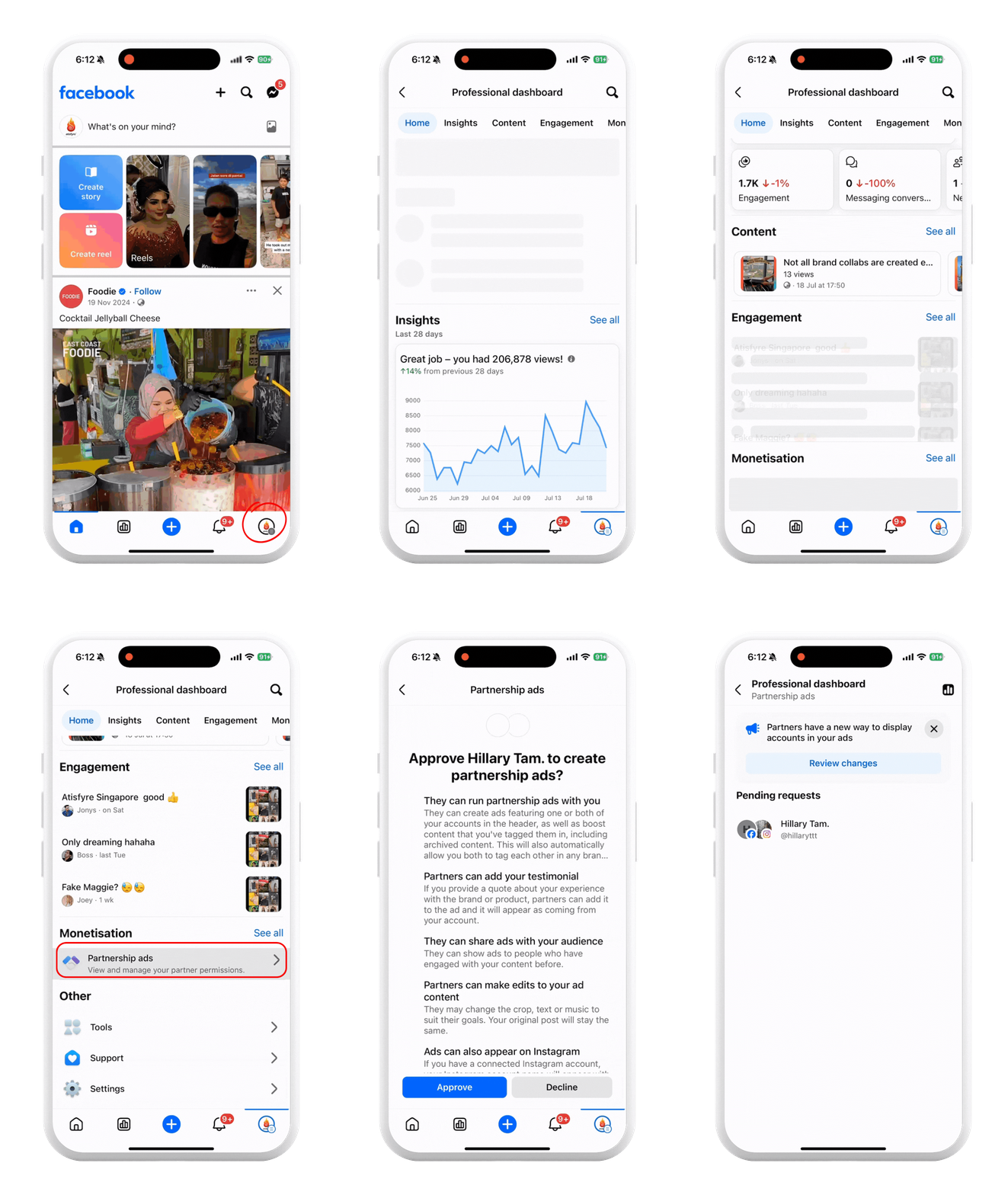
2. Facebook
- In the Facebook app, go to your profile.
- Tap Professional dashboard
- Under Monetisation, tap Partnership ads
- Tap Pending requests, then tap Approve
3. TikTok
Upon receiving the QR from Atisfyre
- Go to your Profile page.
- Tap Menu in the top right corner of your screen.
- Tap My QR code.
- Tap the Scan icon in the top right corner of your screen.
- Scan the QR code to approve the request.