
Refer to the step-by-step guide below to retrieve your Partnership Ad Code on Instagram, Facebook, and TikTok.
How to retrieve your Partnership Ad Code on Instagram
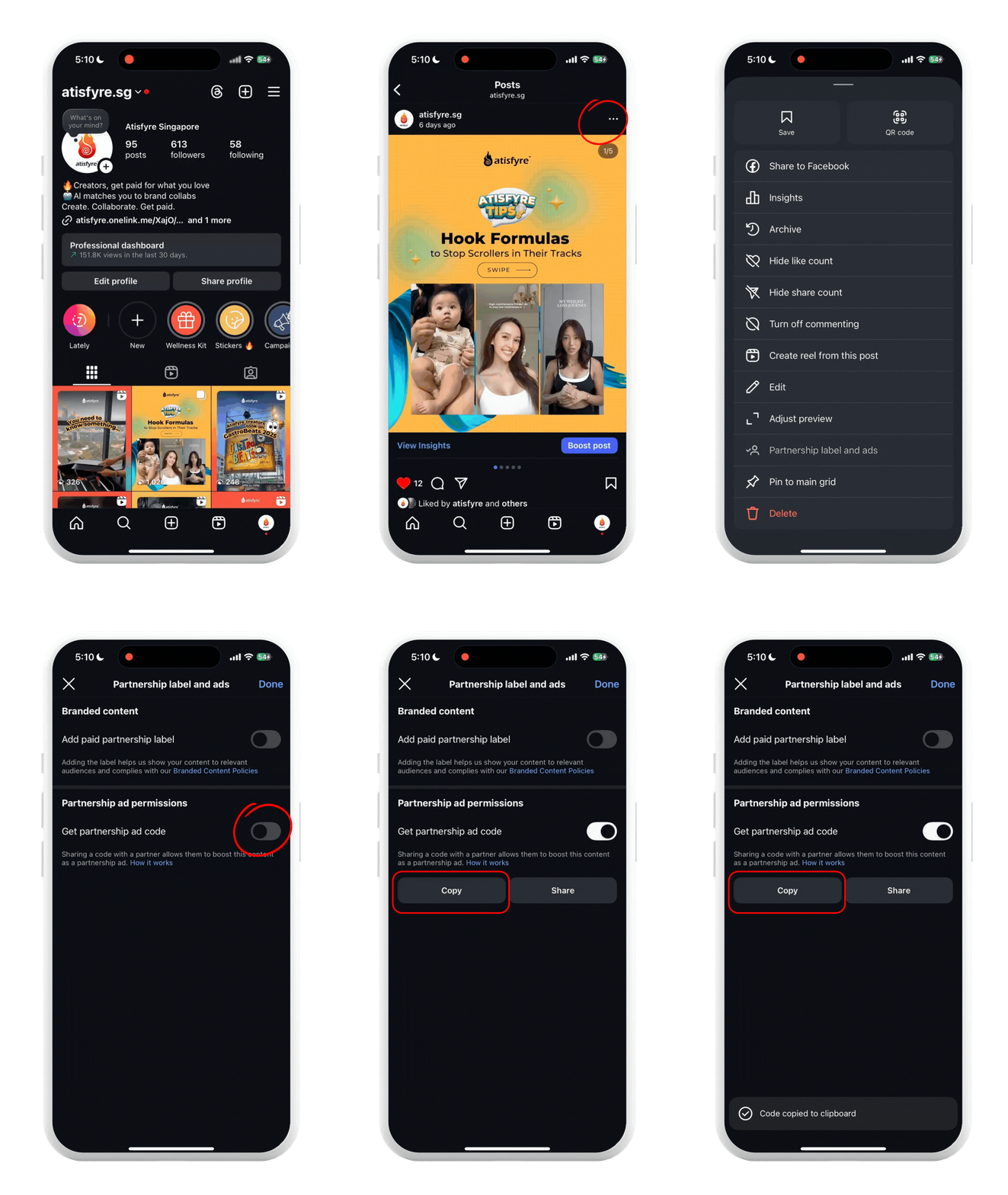
- On the Instagram app, select the post, story or reel that you want to turn into a partnership ad from your Instagram profile.
- Tap the three dots (…) in the top right corner of your post, story or reel.
- Tap Partnership label and ads.
- Turn on the Get partnership ad code toggle.
- The code will appear. Tap Copy to save it to your clipboard and submit it on the Atisfyre app.
How to retrieve your Partnership Ad Code on Facebook
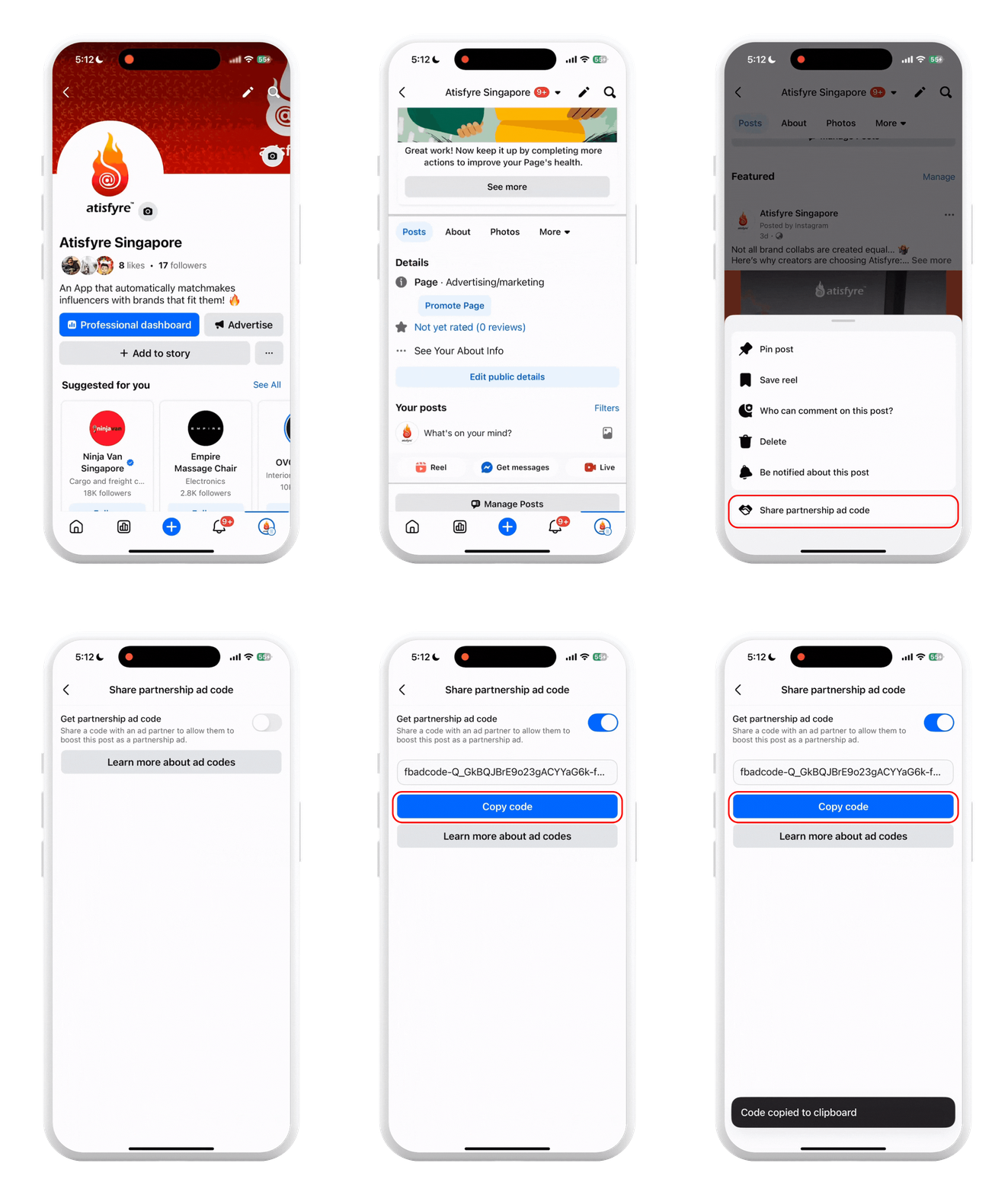
- In the Facebook app, navigate to the piece of content that you want to get an ad code for in your Feed or on your profile page.
- Tap the three dots (…) in the top right-hand corner of the content.
- Tap Share partnership ad code.
- Turn on Get partnership ad code toggle.
- Select Copy to save the code to your clipboard and submit it on the Atisfyre app.
How to retrieve your Ad Authorisation Code on TikTok
- In TikTok, select the video that you want to turn into a partnership ad from your TikTok profile.
- Tap the three dots (…) in the bottom right corner of your video.
- Where you see the option to save video, scroll left and tap on Ad Settings.
- Toggle on Ad Authorisation.
- Select the duration for the Ad Authorisation Code to be valid for as per the campaign brief, tap Authorise.
- Ensure Ad Authorisation and Anchor Authorisation is toggled on.
- Tap Save.
- Tap Manage under Video Code.
- Tap Copy Code and submit it on the Atisfyre app.